
Configure App routes
Routes give a UI Event a stable path inside your app. Examples include / for
the default experience, /support for a Page, or /chat for a Chat UI.
Flow-Like stores each route as a path-to-Event mapping. The Event then decides which interface to open:
- a Page-target Event opens its configured Page;
- a Chat UI Event opens the chat experience;
- another UI Event opens the interface provided by its Event type.
Backend-only Events do not need a UI route.
See all routes
Section titled “See all routes”Open the app’s Events workspace. Every UI Event shows its current route as a badge next to the Event. A red No route badge means that the Event is not yet reachable by path.
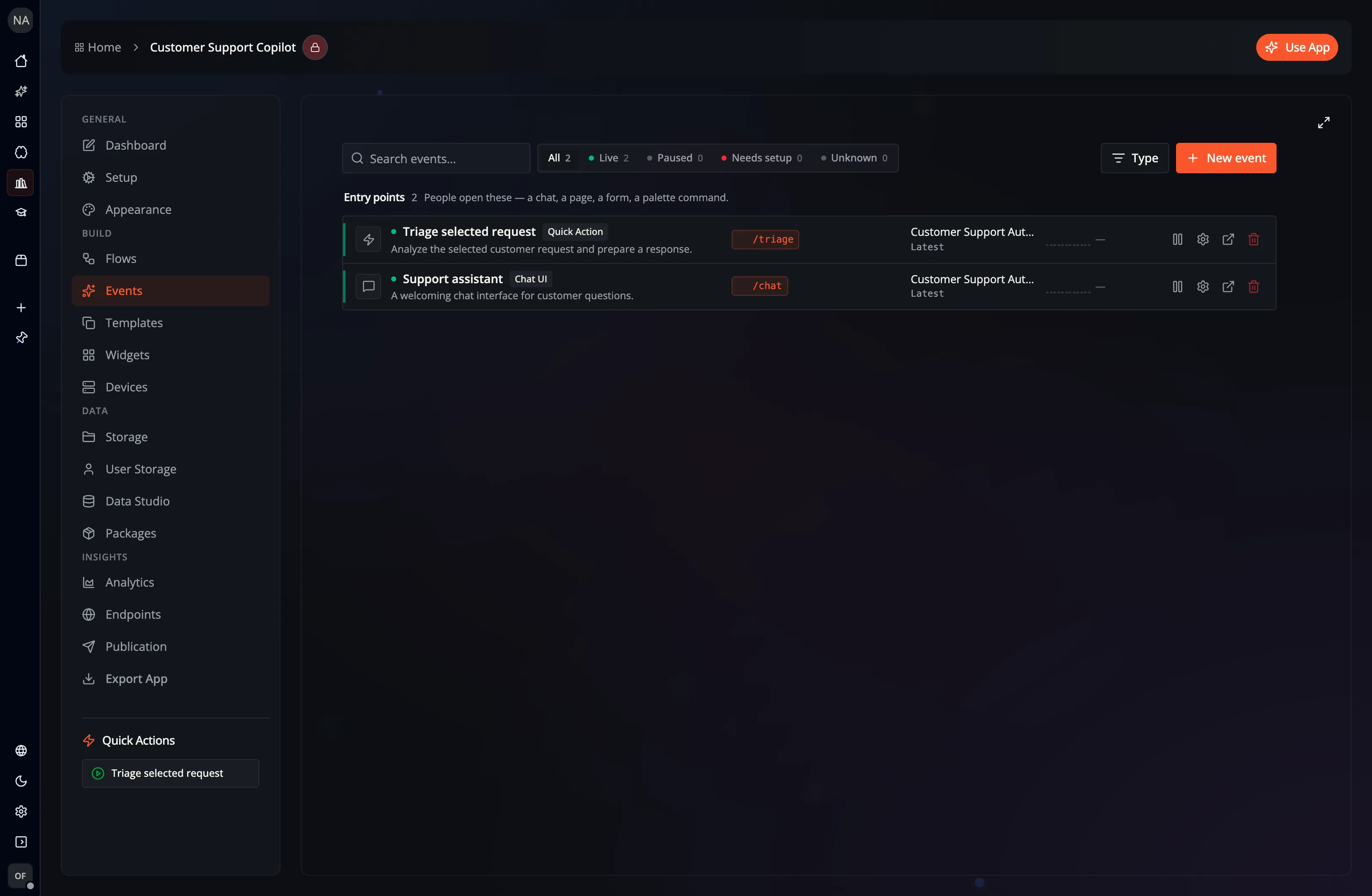
Use the Event search field to filter by Event name, description, Flow, or route.
Set or change a route
Section titled “Set or change a route”You can edit a route in either place:
- On the Events list, select the route badge, edit the path, and press
Enter. PressEscapeto cancel. - Open the Event, select its Route Path value under Identity → Basic Information, and edit it with the rest of the Event.
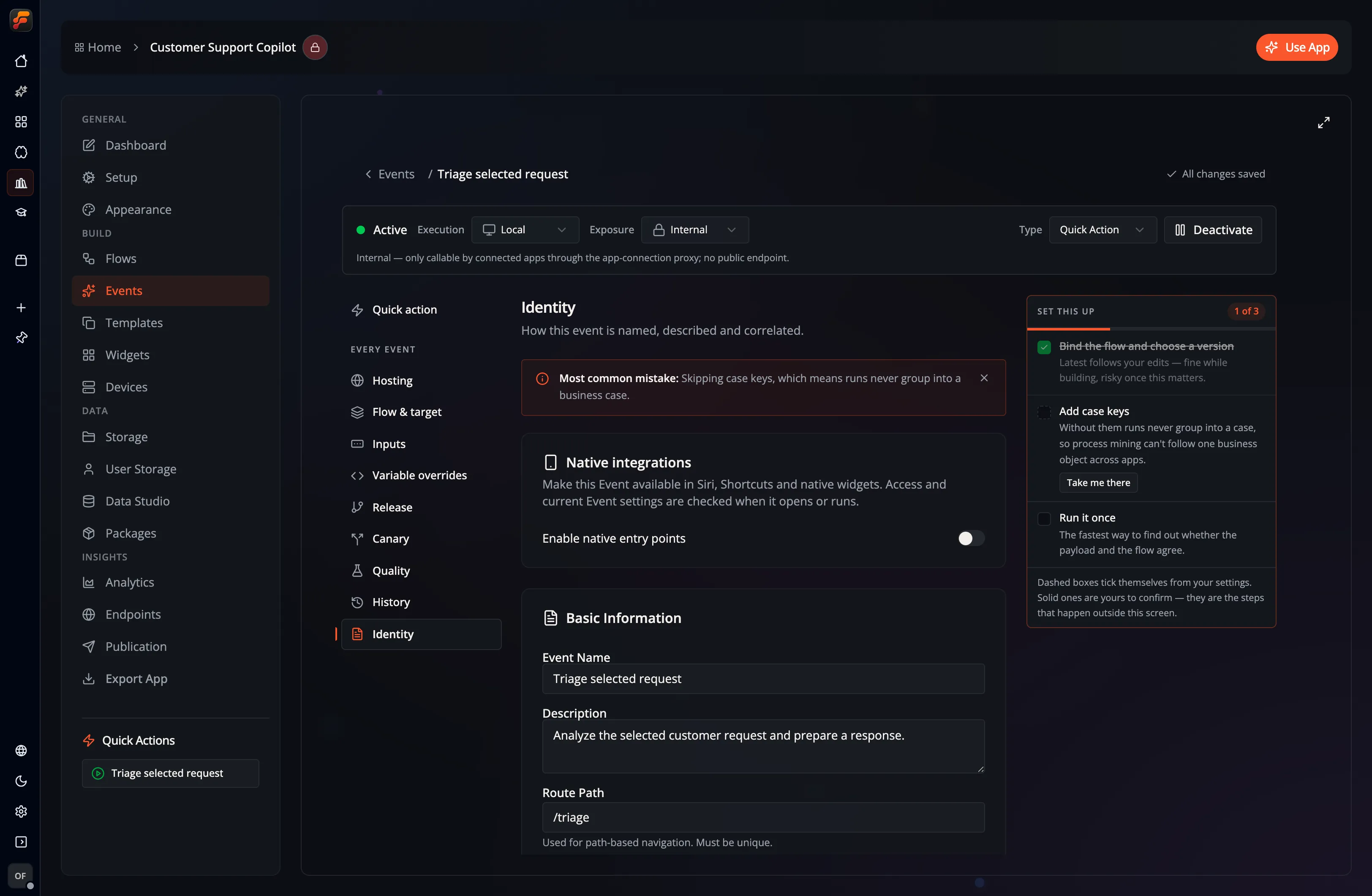
Route paths:
- start with
/; - must be unique within the app;
- should be short, lowercase, and descriptive;
- are matched as configured, so use separate Events for separate paths.
Use / for the interface that should open at the app’s root URL.
Connect a Page
Section titled “Connect a Page”A Page does not own the route by itself. To expose a Page:
- Create the Page from its Flow.
- Create or open a UI Event in the app’s Events workspace.
- Configure the Page as that Event’s target.
- Give the Event a unique Route Path.
- Save the Event and test the path in the app.
Keeping routes on Events lets the same navigation model work for Pages, Chat UI, and other app interfaces.
Open a route
Section titled “Open a route”Web and Desktop links put the app’s route after /use and keep the App ID in id:
| Destination | URL path |
|---|---|
/orders/123 in App my-app | /use/orders/123?id=my-app |
The App’s / route | /use/?id=my-app |
| An Event directly, without a route | /use?id=my-app&eventId=event |
Existing links such as /use?id=my-app&route=/orders/123 still work. Web and Desktop
replace the address with the path form without adding another history entry.
Desktop serves deep links from its bundled /use page and shares routed pages
through Handoff using the same path format.
Static web hosts must serve /use.html for /use/* requests so opening or
refreshing a deep link loads the app. See
Static routes and API front doors.
Navigate between routes
Section titled “Navigate between routes”A2UI buttons and links can navigate to another configured path. A Flow can also return navigation instructions to the active interface. When navigating, Flow-Like resolves the new path to its Event and opens that Event’s UI.
For example, a support app might use:
| Path | UI Event | Experience |
|---|---|---|
/ | Support home | Support operations Page |
/chat | Support assistant | Chat UI |
/triage | Triage selected request | Quick Action interface |
See Events for Event setup and Custom UI (A2UI) for navigation actions inside an interface.