
Manage Flows
Open an App’s Flows workspace to find its workflows and see how they are used. Enable Developer Mode if Flows is absent from the navigation. Your role also needs permission to read the App’s Flows.
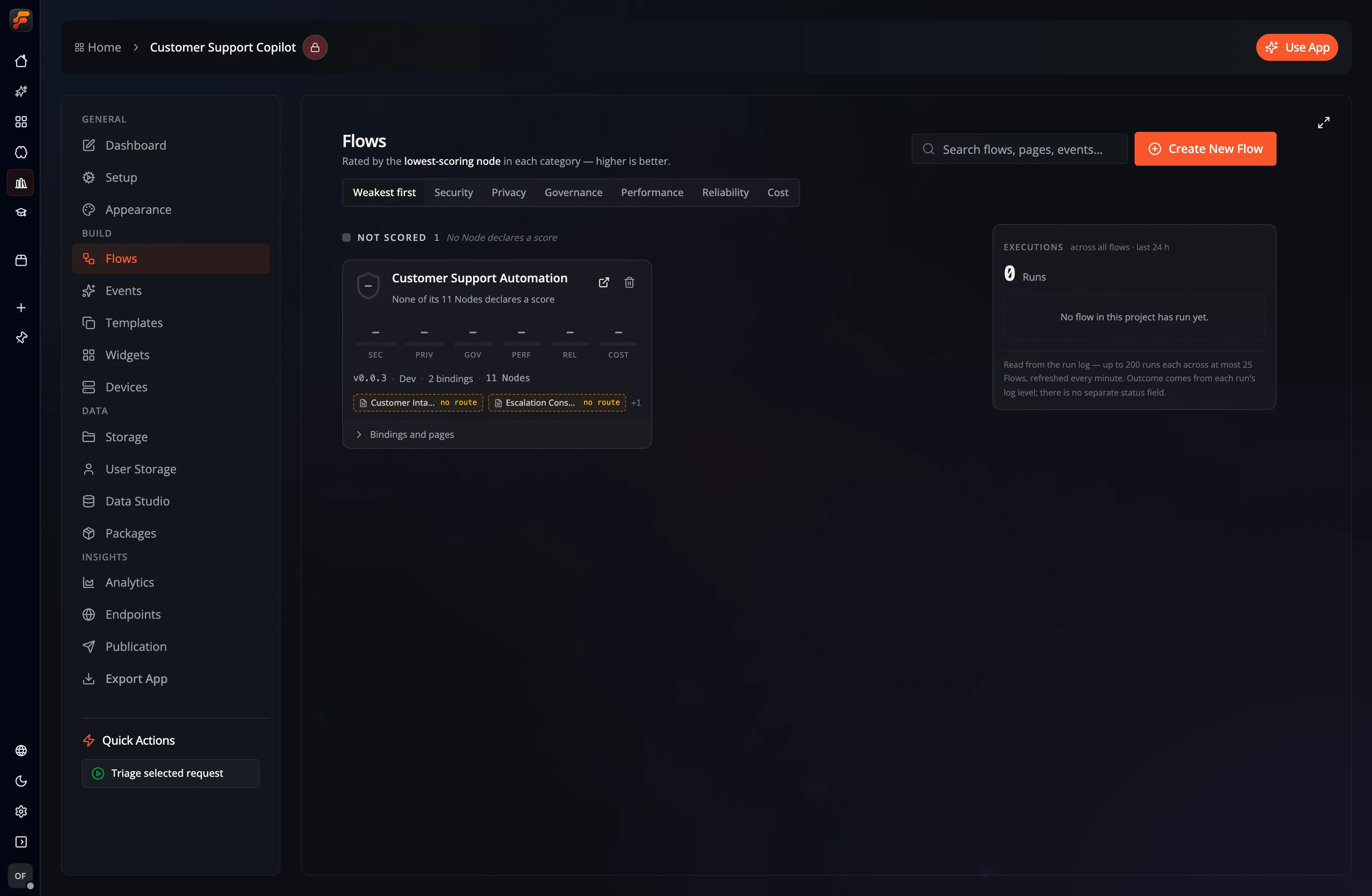
Find or create a Flow
Section titled “Find or create a Flow”Search by Flow, Page, or Event name, then use the sort controls to order the results. Open a Flow to edit its graph in Studio. Use the new-Flow action to create another workflow; creation and deletion require write permission.
Each card combines several kinds of information:
| Area | What to inspect |
|---|---|
| Identity and stage | Which workflow this is and its development stage. A stage label does not publish a snapshot by itself. |
| Scores | Catalog-derived assessments across Security, Privacy, Governance, Performance, Reliability, and Cost. |
| Bindings and pages | Events and Pages using the Flow, including pinned/latest targets, paused entry points, and available activity. |
| Composition | The node families and building blocks present in the workflow. |
| Coverage | How much of the graph has the metadata needed for the displayed assessment. |
Use the scores to decide where to inspect next. A high score does not establish that the assembled workflow meets your own security, cost, or reliability requirements. Missing metadata produces an unscored state; it should not be read as a zero-risk workflow. The overview’s security/governance summary uses the lowest available scores so a weak part remains visible.
Follow a binding
Section titled “Follow a binding”A Flow can have several configured Events. Check whether each uses Latest or a numbered version before editing a workflow used by others. Latest follows draft changes; a pinned target keeps its selected snapshot. Open the binding to inspect the Event’s configuration, or open a linked Page to work on its interface.
The versioning guide explains snapshots. Use Event releases when testing and changing a live target.
Inspect execution activity
Section titled “Inspect execution activity”The Executions rail shows recent runs available to your account. Select an entry to locate its Flow card, then open the Flow and its Runs panel to inspect logs. Empty activity, unavailable data, and missing permissions need different responses: an unavailable list is not proof that a Flow has never run.
For a step-by-step failed-run exercise, see Logging and debugging.