
Sharing and visibility
Sharing requires an online App and a signed-in account with permission to manage its access. Visibility controls how people discover or request the App; roles control what members can do inside it.
Change visibility
Section titled “Change visibility”- Open the App’s Dashboard.
- Open Access & sharing in its settings.
- Choose the visibility appropriate for the App and save the change.
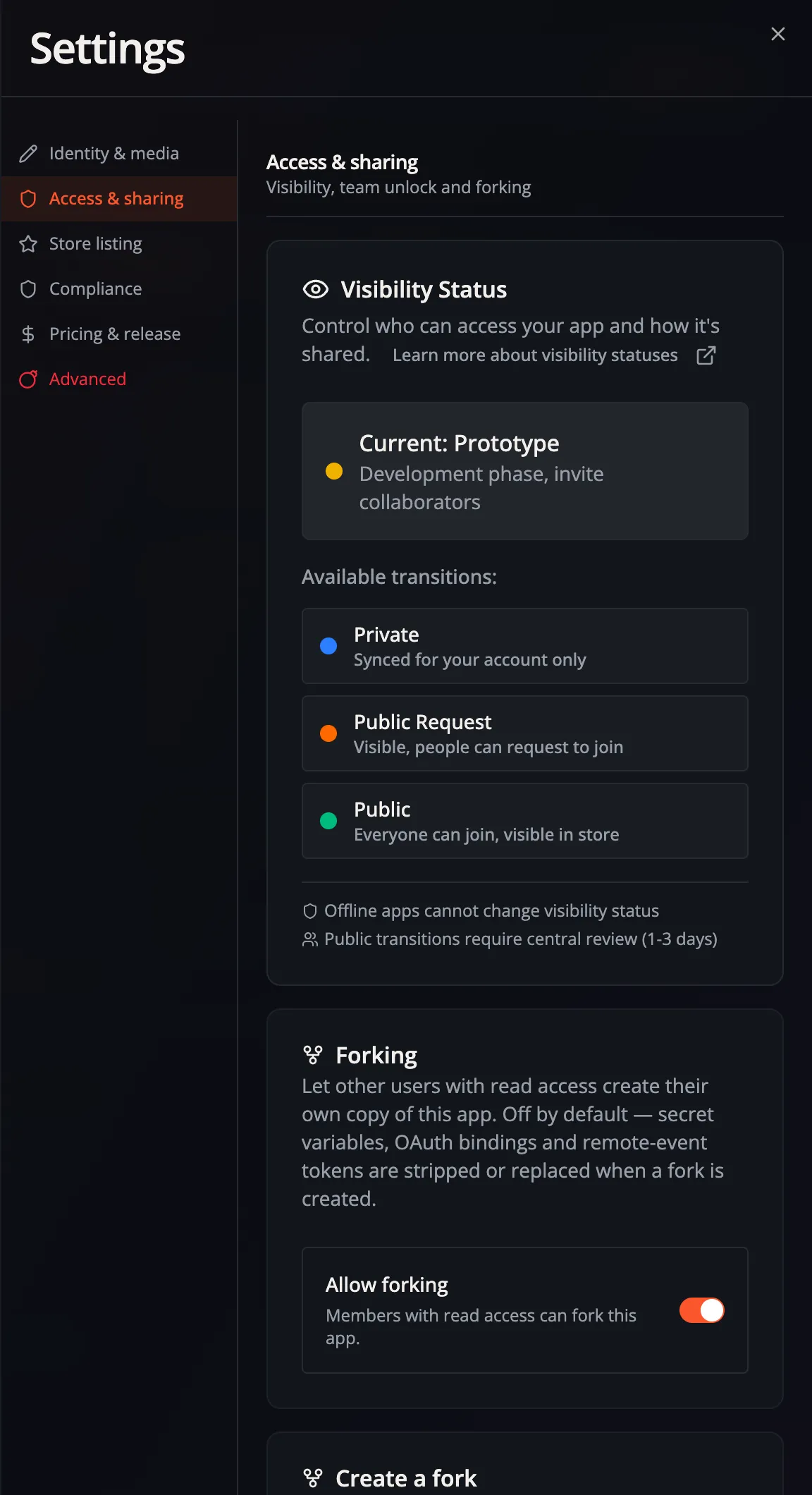
An online App starts Private, accessible to its owner. Prototype enables sharing with other Flow-Like users and unlocks the Team area. Public Request and Public support the App Store publication path. Changing visibility does not give every member permission to edit Flows or data.
Invite people
Section titled “Invite people”- With the App at least Prototype, open Team. The page is titled Access.
- Use Invite people for a direct invitation, or open Invites & links to create and manage invitation links.
- Choose the intended access and any available limits before sharing a link.
- Check People after the invitation is accepted and review the member’s assigned role.
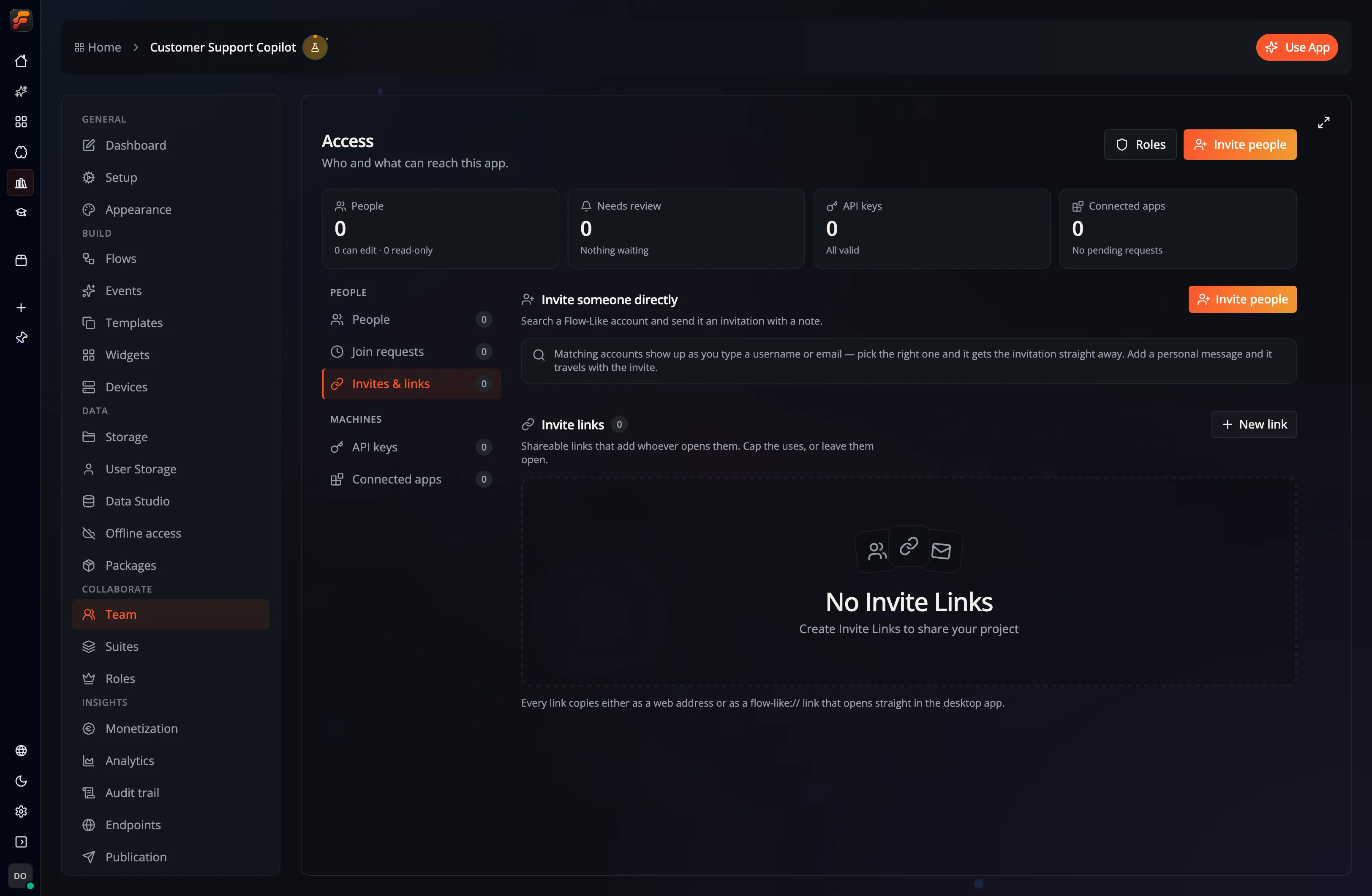
The Access sections have different jobs:
| Section | Use it to |
|---|---|
| People | Inspect current members and their roles. |
| Join requests | Review people asking to join; approval uses the default role. |
| Invites & links | Invite users and manage reusable invitation links. |
| API keys | Issue and manage programmatic App access. |
| Connected apps | Review access relationships with other Apps. |
The screen reports when your role cannot read or change a section. Missing permission is different from an empty list.
Rights and roles
Section titled “Rights and roles”Enable Developer Mode to see Roles in the App navigation. Open it to create roles, choose permissions and attributes, and set the default role for new members. Owners and authorized administrators should review that default before inviting a group.
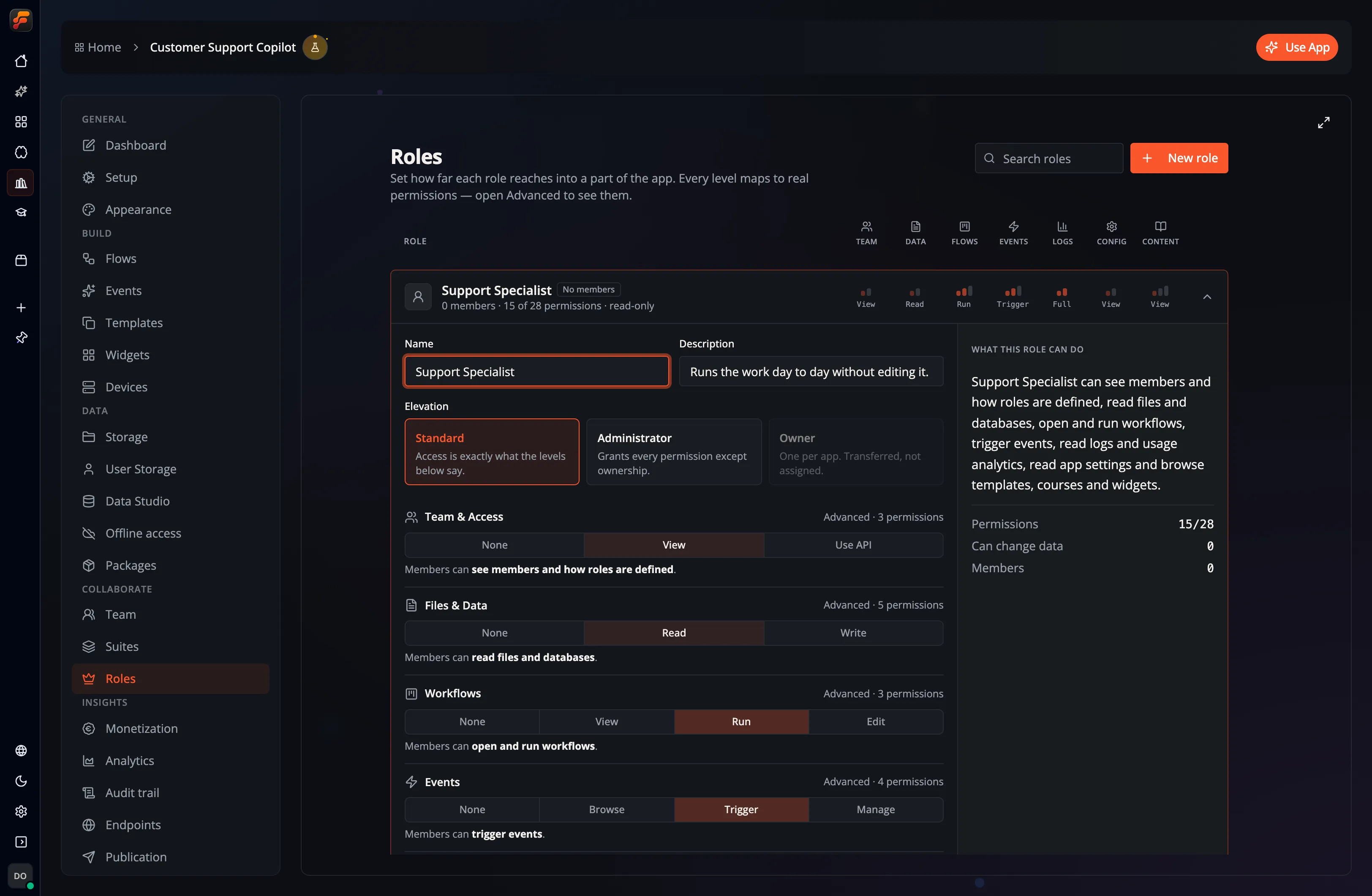
For example, permission to invoke an Event does not necessarily include permission to read or edit its Flow. Local execution needs enough access to load the Flow; see execution permissions.
Release an interface
Section titled “Release an interface”Set the App’s display version and changelog under Dashboard → Pricing & release. That version is release metadata. To keep a live interface on tested logic, pin its Flow version and follow the Event release walkthrough.
For a browser link that opens a chat, form, or Page, configure Event hosting. App Store visibility and anonymous hosted access are separate settings.