
Studio workspace
Studio is where you edit and inspect one Flow. Its graph and FlowScript are two views of the workflow. The surrounding workspace also opens related interfaces, files, and tables without leaving that Flow.
Enable Developer Mode, open My Apps, select an App, then open a Flow from its Flows workspace. For your first working example, follow Build your first Flow.
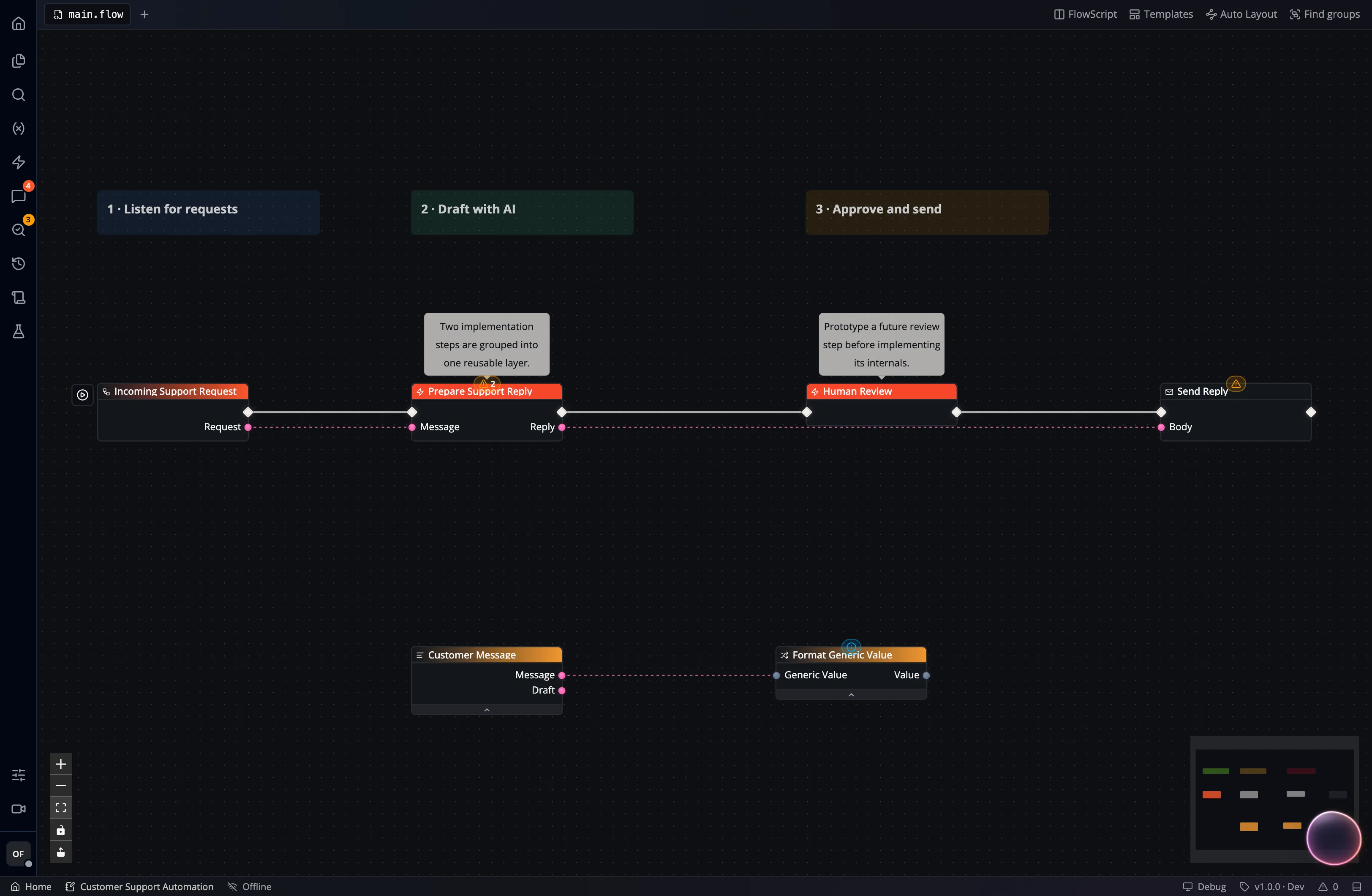
Find the part you need
Section titled “Find the part you need”| Area | Purpose |
|---|---|
| Activity rail | Open the Explorer, node catalog, variables, entry points, search, or quality view. |
| Explorer | Navigate the Flow’s files and layers, Pages, reusable Widgets, storage, and tables. |
| Editor tabs | Switch between graph/text documents and related resources. Tabs can be pinned, closed, or split where supported. |
| Canvas | Add nodes and connect execution and data pins. Right-click an open area to browse compatible nodes. |
| Inspector | Review and edit the selected item’s properties. |
| Problems / Runs / Logs | Inspect graph diagnostics, execution history, and the selected run’s log entries. |
Pages, Widgets, stored files, tables, and styles open as editor tabs. These tabs open the current resource independently of the graph’s selected version. For example, a Page tab edits the latest Page even while the graph displays a read-only snapshot.
A Flow version includes its owned Page snapshots for pinned runtime use. Widgets, files, tables, and App styles follow separate storage and version rules. Opening them in a tab does not add them to a Flow snapshot.
Build and organize logic
Section titled “Build and organize logic”A Flow contains nodes joined by connections. Execution pins determine which step runs next. Data pins carry typed values. Use variables for shared Flow state and configuration.
Use layers to group part of a graph. Double-click a layer or function call to enter it; use the breadcrumb to return to its parent. The Explorer and document tabs help you find a particular file or interface in a larger workflow.
FlowPilot can explain the current context or propose graph, text, and interface changes. Review those changes and run representative inputs before moving an Event to the new implementation.
Run, inspect, and publish deliberately
Section titled “Run, inspect, and publish deliberately”Run from an event node, then open Runs and Logs to inspect the result. Problems shows editor diagnostics that may exist before any run. A log entry belongs to an execution; a diagnostic belongs to the current graph. See Logging and debugging for a complete example.
Create an immutable Flow version when a known graph must remain available. Events connect that graph to Pages, chat, schedules, APIs, and other entry points. An Event targeting Latest sees draft changes; a pinned Event keeps its selected version.

Apps and core concepts explains ownership. A Flow can use its App’s file storage and Data Studio resources, but publishing the Flow does not make copies of those resources.