
Data Studio
Enable Developer Mode to see this workspace in the App navigation.
Data Studio is an app’s home for structured data: native tables created directly or by flows, and the ontology — a semantic layer of object types, relationships, and governed actions — you build on top of them. Open it from an app’s Data → Data Studio view.
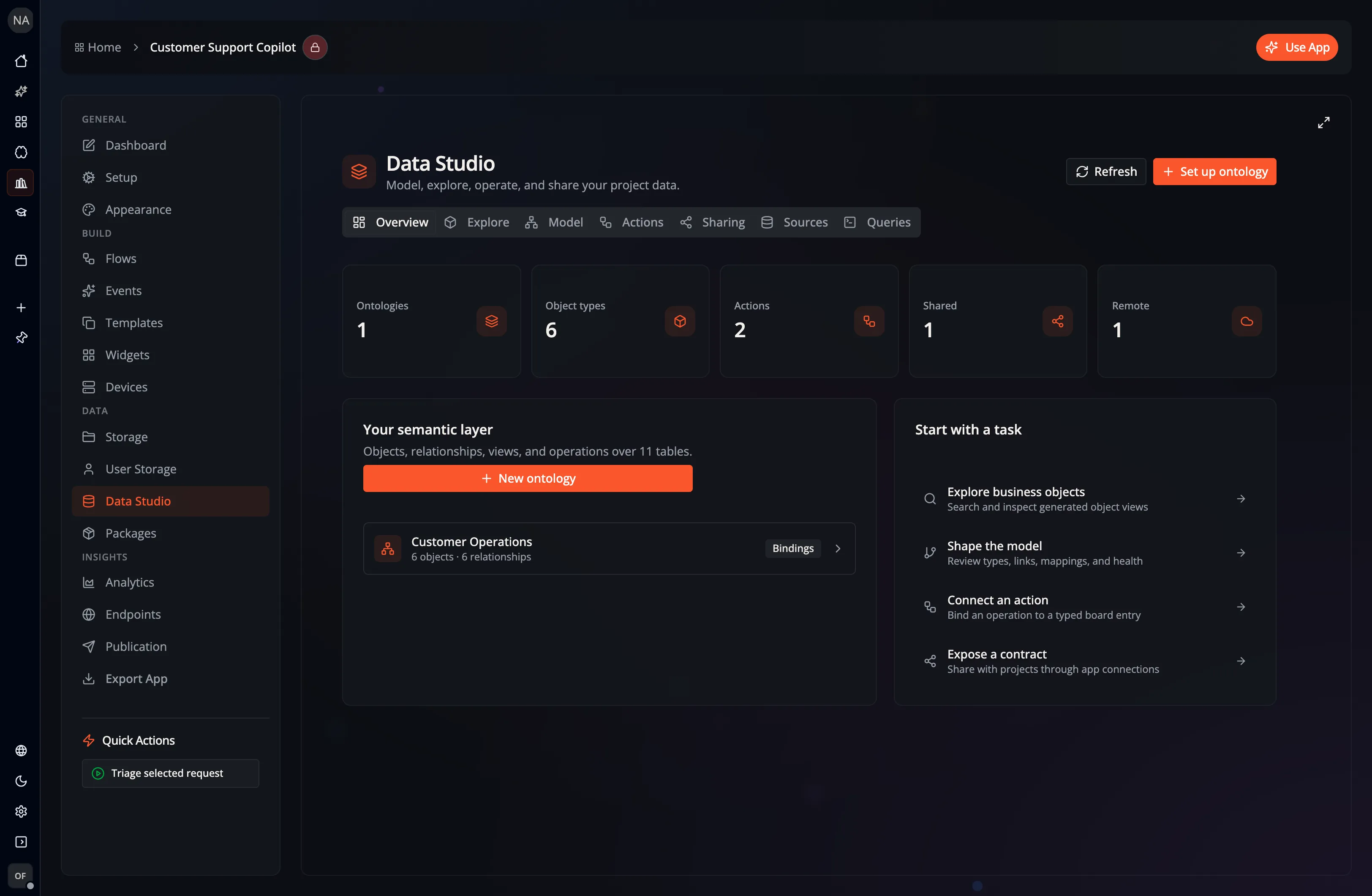
| Tab | What it’s for |
|---|---|
| Overview | At-a-glance counts (ontologies, object types, actions, shared, and remote) and shortcuts into the other tabs |
| Explore | Browse objects of each type in a preview table and open an object’s inspector — its views, available actions, and editable properties |
| Model | Create, rename, and delete ontologies; review object types and relationships; open the data graph |
| Actions | Define governed operations that run on an object type |
| Sharing | Expose ontologies to connected projects, and install ontologies published by others |
| Sources | Create and inspect project or personal native tables, plus object types from installed remote ontologies |
| Queries | Run SQL over native tables, local ontologies, or installed remote contracts and view the result as a table, chart, relationship graph, or JSON |
Explore ontology objects
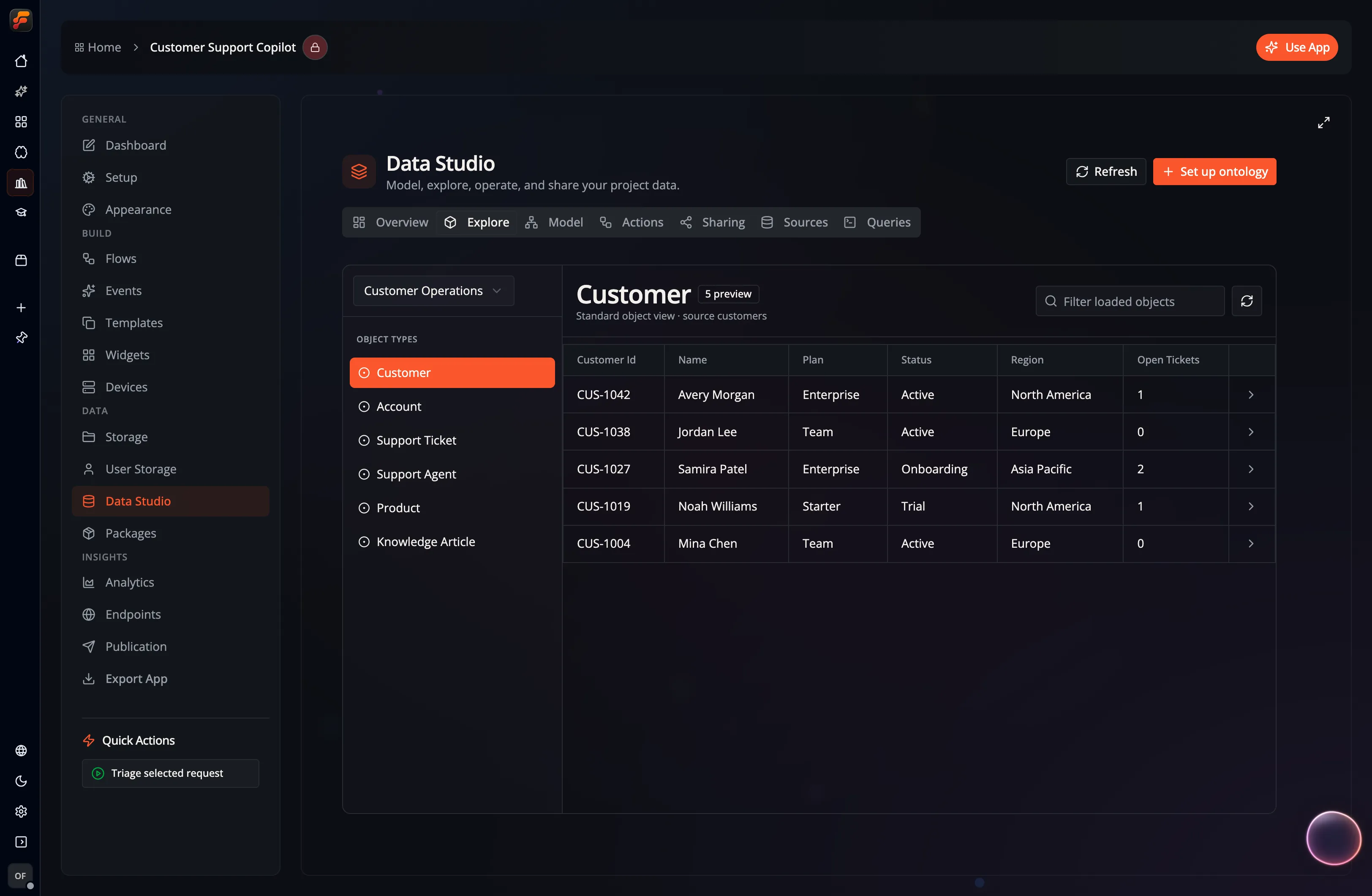
Section titled “Explore ontology objects”The Explore tab turns ontology mappings into searchable business objects. Select an ontology and object type on the left, filter the loaded preview, and open any row for its configured highlights, remaining properties, and governed actions.
Edit object properties
Section titled “Edit object properties”You can change the stored property values of an object without leaving Data Studio:
- In the object sheet: open an object, click Edit, change one or more fields, and click Save Changes (or press Ctrl/Cmd+Enter). A changed field is outlined and can be reverted on its own; Set empty (Clear for dates) empties a field that allows empty values. If you close the sheet with unsaved changes, Data Studio asks before discarding them. While a save is in progress, the sheet stays open until it finishes.
- In the ontology graph: open an ontology’s graph view, select an object, and use the pencil next to a property in the inspector to edit it in place.
Relationship properties can be edited in the graph inspector too, but only for relationships stored in their own join table. A relationship that is a column on an object’s table says which object stores its values and, when that object is on the graph, offers a button that opens it so you can edit those values there.
Some values stay read-only, marked with a lock that explains why:
- Columns that identify an object or link it to another object.
- Geometry, binary, vector, list, and nested values.
Each save checks that the fields you changed still hold the values you started from. If someone else changed one of those fields in the meantime, nothing is written: Data Studio shows a conflict message and the current values, keeps your edits, and your next save replaces the new values. Changes others made to fields you did not edit are kept.
Editing needs the Write Files or Write Database permission on the project; without it the Explore tab says objects are read-only. Objects from installed remote ontologies are always read-only.
Edits change the stored values directly. They do not run the ontology’s governed actions or the rules those actions enforce, so use an action when a change needs that workflow.
Native tables
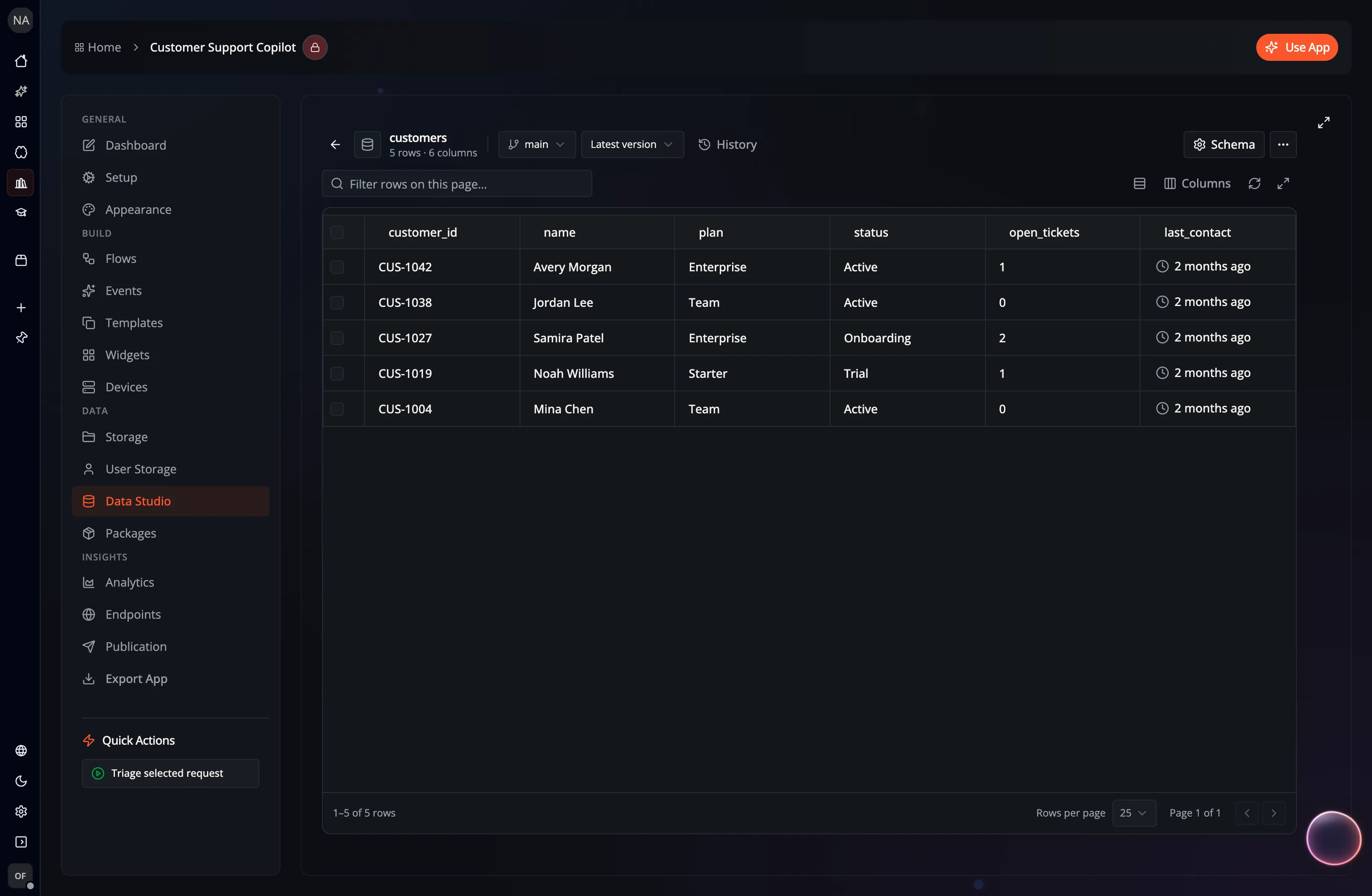
Section titled “Native tables”The Sources tab lists project and personal relational tables. Tables may be created directly in Data Studio or by flows that persist structured results. A table created by a flow takes its column types from its first write. Open a source to inspect its rows, schema, and indexes:
Use Choosing a Lance index before adding an index. It maps the repeated query to the appropriate index and explains which algorithms work on native Lance tables and which are supported by a remote LanceDB connection.
The ontology layer
Section titled “The ontology layer”On top of those tables you can define an ontology: object types, link types, object views, and governed actions — a knowledge graph you can search, traverse, visualize, and act on without moving any data.
- Ontology & Knowledge Graph — object types, link types, the graph explorer, and actions.
- Shared & Remote Ontologies — expose an ontology to connected projects and install ontologies published by others.
Query and visualize
Section titled “Query and visualize”The Queries tab provides one SQL workbench for project tables, personal tables, local ontology overlays, and installed remote contracts. Local statements can be saved as stored queries or — when they have no parameters — reusable views. Remote statements are read-only previews and cannot be saved in the consuming project.
Results can be inspected as a data table, a configurable chart, a relationship graph, or raw JSON. The workbench preserves the query and visualization configuration together when you save a local query.
Ask FlowPilot (Data Studio agent)
Section titled “Ask FlowPilot (Data Studio agent)”FlowPilot can do the data work for you. Ask the assistant in plain language and it delegates to a Data Studio agent — a specialist with direct access to your app’s data:
- Set up and update databases: create or alter tables, build indexes, insert rows.
- Create and edit ontologies: add object types and relationships, adjust an overlay’s mappings.
- Query and analyze: write and optimize Cypher or SQL, run neighbor/subgraph/path traversals and graph analytics.
- Add graph elements: upsert nodes and edges into an overlay.
- Run actions: list, describe, and execute governed ontology actions on selected objects.
- Visualize: return the answer as an interactive chart.
Every reply is transparent: the agent shows the query it ran (in a collapsible block), a step log of what happened, links, and — when it helps — an inline chart.
When you have a Data Studio page open, the agent defaults to that app and ontology automatically. You can also ask about a different project’s data in the same conversation; it will target the other app when you name it (subject to that project’s sharing settings).
The Data Studio agent runs on a tool-capable FlowPilot model (Claude Code, Codex, or GitHub Copilot). Mutating steps—creating tables or overlays, adding elements, and executing actions—follow the approval mode selected for the current FlowPilot session.